
Download DVDBackup – Free Mac DVD Backup Tool, Secure & Easy
Overview
DVDBackup is a lightweight, free utility designed specifically for macOS users who need a simple way to back up DVD content. Developed by Wormintheapple, this quirky yet functional program falls under the Science & Education category with a playful “Funny Things” sub‑category, reflecting its easy‑going user interface. Since its addition to the catalog in 2012, DVDBackup has amassed nearly 10,000 downloads, highlighting its steady popularity among Mac enthusiasts looking for a no‑frills solution.
The current version, X 1.3, was last updated on June 18 2012, and while the software is not actively receiving new features, its core functionality remains solid and reliable. DVDBackup works on macOS X and earlier versions, requiring only a modest amount of free disk space, which makes it ideal for older machines or systems with limited storage. The program is available exclusively in English, and its single‑purpose design means there are no distracting ads or unnecessary bloatware.
Whether you’re an educator needing to archive teaching DVDs, a home user wanting to protect purchased movies, or simply curious about backing up disc content on a Mac, DVDBackup provides a straightforward, secure, and cost‑free solution.
Key Features of DVDBackup
- Simple One‑Click Backup: Initiate a full DVD copy with a single button, eliminating complex configuration steps.
- Mac‑Optimized Performance: Built natively for macOS, the app runs smoothly on both modern and legacy Mac hardware.
- Low Disk‑Space Footprint: The installer is under 5 MB, and the program consumes minimal RAM while operating.
- Support for Multiple DVD Formats: Handles standard DVD‑Video, DVD‑Audio, and data DVDs without requiring additional codecs.
- Secure Copy Process: Uses read‑only access to prevent accidental modification of original disc data.
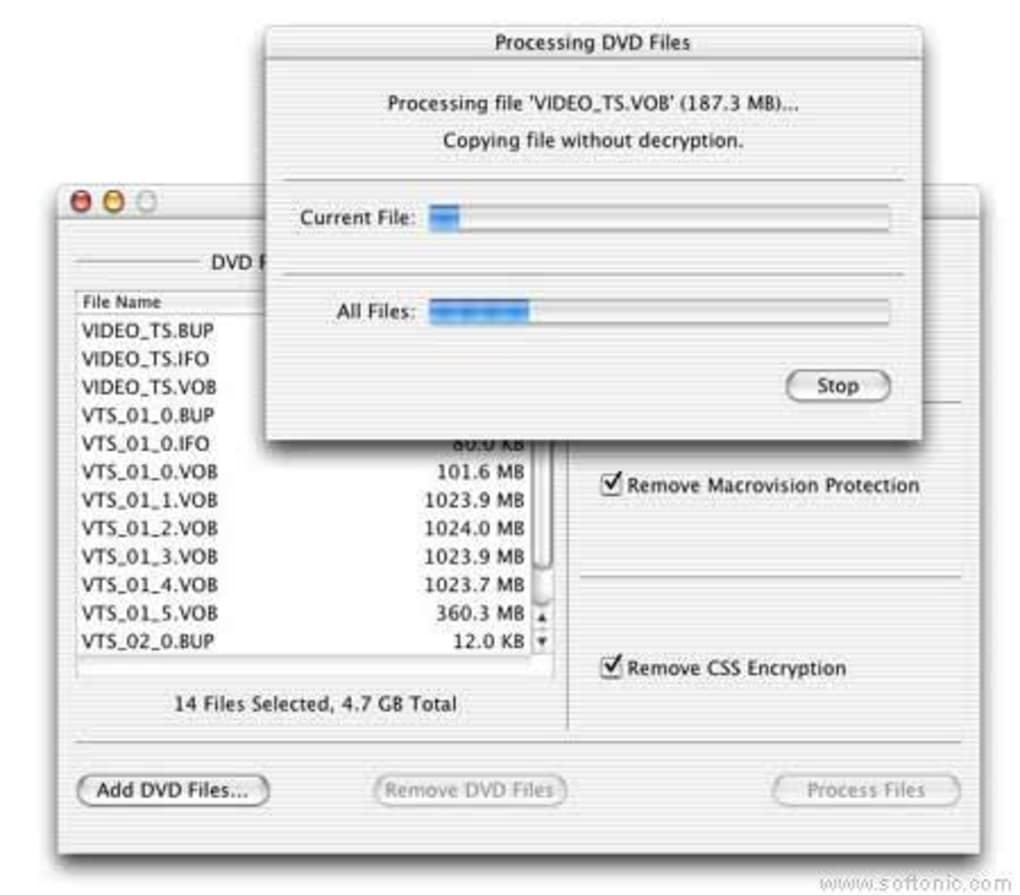
- Progress Indicator: Real‑time visual feedback shows copy status, speed, and estimated completion time.
- English‑Only Interface: Clear, concise wording makes the workflow intuitive for English‑speaking users.
- Free for All Users: No hidden fees, subscription, or registration required to download or use the tool.
Beyond the listed features, DVDBackup’s design philosophy emphasizes reliability over flashiness. The developers intentionally omitted advanced editing or encryption capabilities to keep the application lightweight and focused on the primary goal—creating a faithful backup of your DVD. This restraint translates into faster backup times and fewer system conflicts, especially on older Macs where resources are at a premium. Users who value a stable, no‑nonsense experience will appreciate the absence of intrusive update prompts; the software simply performs its job and stays out of the way.
Installation, Usage, and Compatibility
Step‑by‑Step Installation
Downloading DVDBackup is straightforward. Visit the official download page, click the “Download for macOS” button, and save the .dmg file to your Downloads folder. Open the .dmg, drag the DVDBackup icon to your Applications folder, and eject the installer. macOS may display a warning because the app is not notarized; simply right‑click the icon, choose “Open,” and confirm you want to run it. This one‑time process takes under two minutes on most systems.
How to Back Up a DVD
- Insert the DVD you wish to copy into your Mac’s optical drive (or an external USB DVD‑R/W drive).
- Launch DVDBackup from the Applications folder.
- Click the “Select Disc” button; the program automatically detects the inserted DVD.
- Choose a destination folder on your hard drive or an external storage device.
- Press “Start Backup.” The progress bar will fill as the program reads and writes each sector.
- When the process completes, a confirmation dialog appears, and you can safely eject the original disc.
System Requirements & Operating System
DVDBackup runs on macOS X (10.0) and later, including macOS High Sierra, Mojave, Catalina, and earlier versions. The app requires at least 100 MB of free storage for temporary files and a functioning DVD‑R/W drive. Because the program is native to macOS, there is no need for third‑party emulators or Windows compatibility layers.
Pros and Cons
- Pros:
- Free and fully functional without hidden charges.
- Lightweight installation and low memory usage.
- One‑click operation makes it accessible to non‑technical users.
- Works on older Mac hardware where newer backup tools may fail.
- No ads, telemetry, or unnecessary background services.
- Cons:
- Interface is dated and lacks modern visual polish.
- No support for encrypted or copy‑protected DVDs.
- Last updated in 2012, so compatibility with the latest macOS releases may require manual “Allow Anyway” permissions.
- English‑only language support limits non‑English speakers.
Frequently Asked Questions
Is DVDBackup safe to use on my Mac?
Yes. DVDBackup is a free, offline utility that does not collect personal data or install unwanted components. It only reads the DVD you insert and writes a copy to a location you specify.
Can I back up copy‑protected DVDs?
No. DVDBackup is designed for standard, non‑encrypted DVDs. Copy‑protected discs require specialized software that complies with regional legal restrictions.
Do I need an internet connection to use DVDBackup?
No. After the initial download, DVDBackup works entirely offline. This makes it ideal for secure environments or for users with limited bandwidth.
What file format does the backup use?
The program creates an exact copy of the DVD’s file structure, preserving the original VOB, IFO, and BUP files for video DVDs, or the data files for data discs. The backup can be mounted or burned to a new disc later.
How often is DVDBackup updated?
The last official update was released on June 18 2012 (version X 1.3). Although the developer has not issued new versions, the core functionality remains compatible with macOS X and most recent macOS releases when appropriate security settings are adjusted.
Conclusion & Call to Action
For Mac users who need a no‑cost, uncomplicated way to duplicate standard DVDs, DVDBackup still holds its ground despite its age. Its lightweight design, straightforward interface, and absence of hidden fees make it a dependable choice for educators, archivists, and casual users alike. If you’re ready to protect your DVD collection without spending a dime, simply click the download button below, follow the quick installation steps, and start backing up today.







